Client content, approved and delivered into your CMS.
You build the site in Framer or Webflow. Your client gets one link with a form shaped like your CMS, already drafted from their current website. You approve each entry and it lands in the CMS as a draft. You publish.
Paste your client's current site
See the content request Sitefill would send them, with the answers already drafted. Free, no account. It reads up to 12 public pages.
How it works
- Step 1 of 4
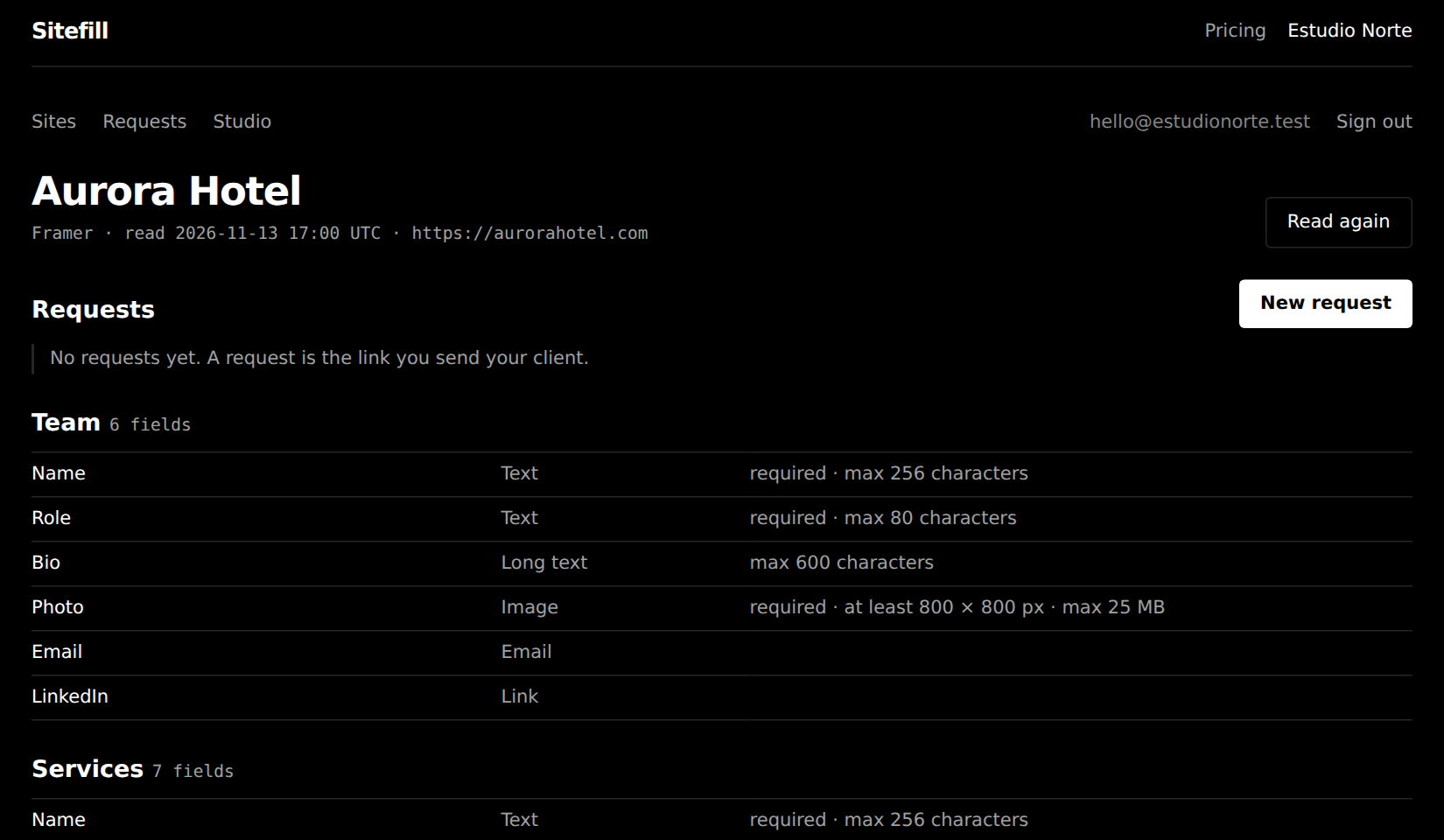
Connect the site you are building
Paste the Framer project URL and an API key, or a Webflow site token. Sitefill reads your CMS collections and every field with its type and limits. Any other site works too, with fields you define and an export at the end.
- Step 2 of 4
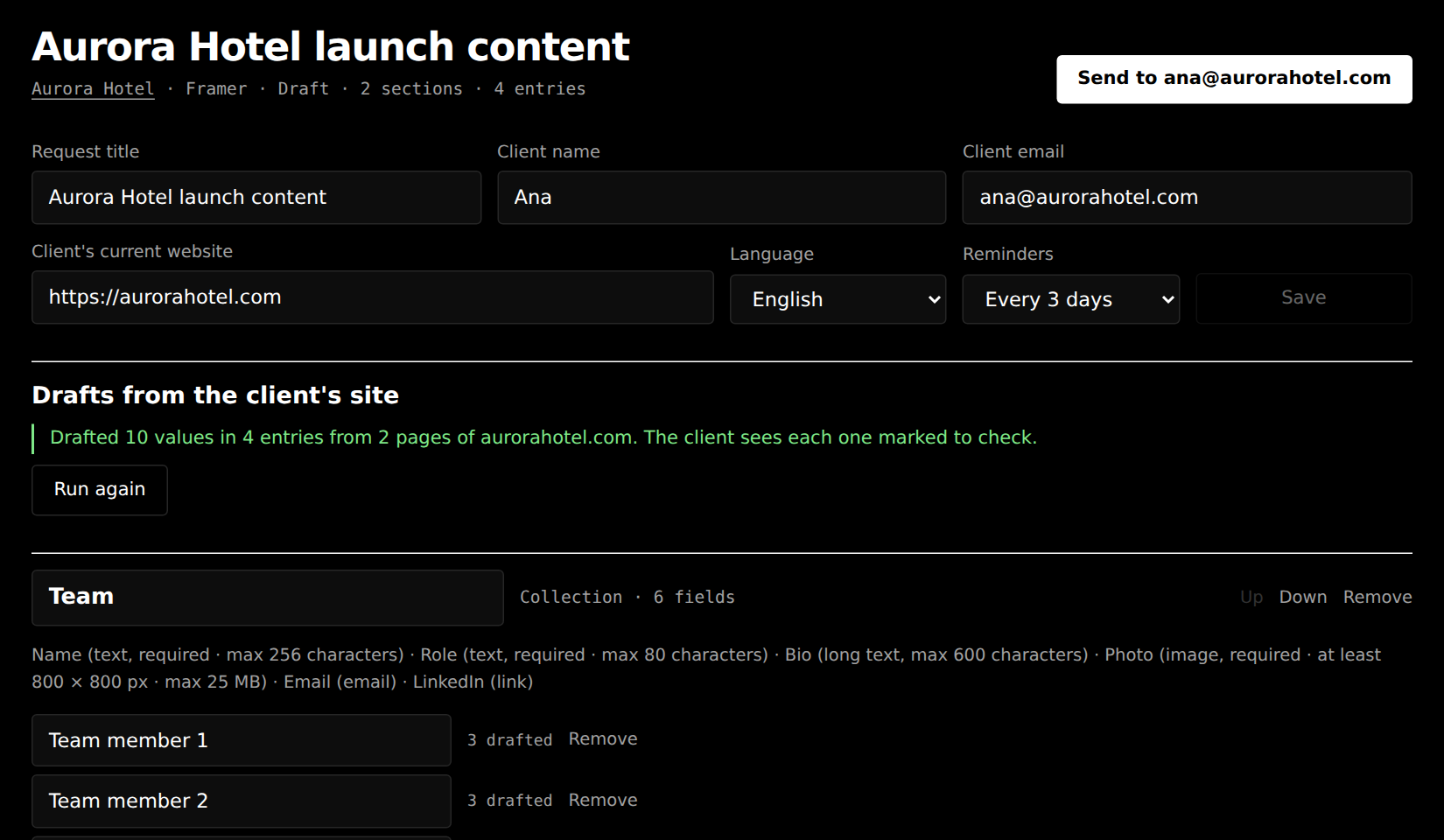
Build the request and send one link
Pick the collections and how many entries you need, add page sections and the kickoff questions for logo, colours and contact details. Give the client's current website and Sitefill drafts the answers from it.
- Step 3 of 4
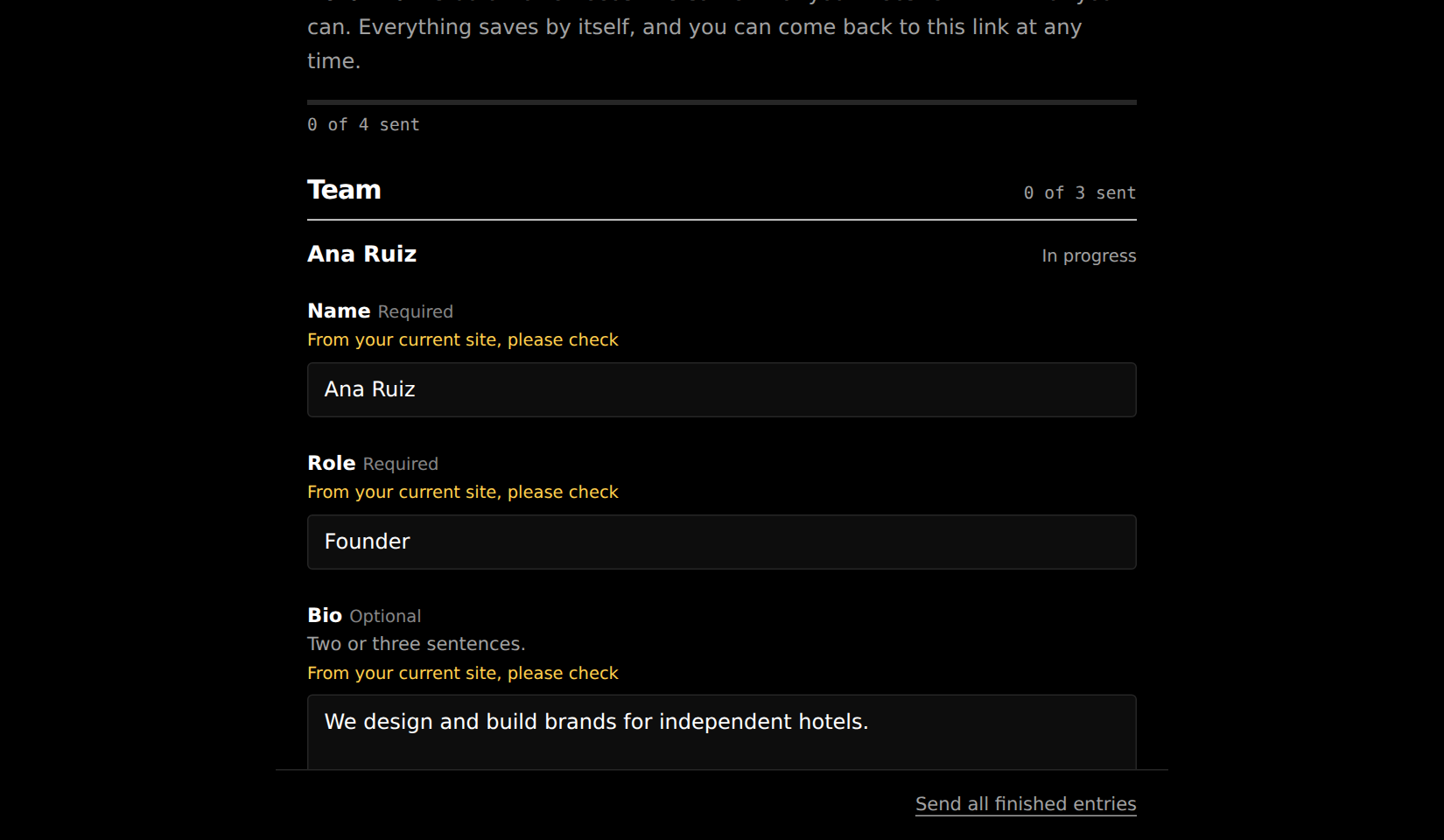
Your client fills it in, on any device
No account and no password. They correct the drafts, upload images that the form checks against your CMS rules, and send entry by entry. Reminders go out on the interval you chose, six at most, and stop when nothing is missing.
- Step 4 of 4
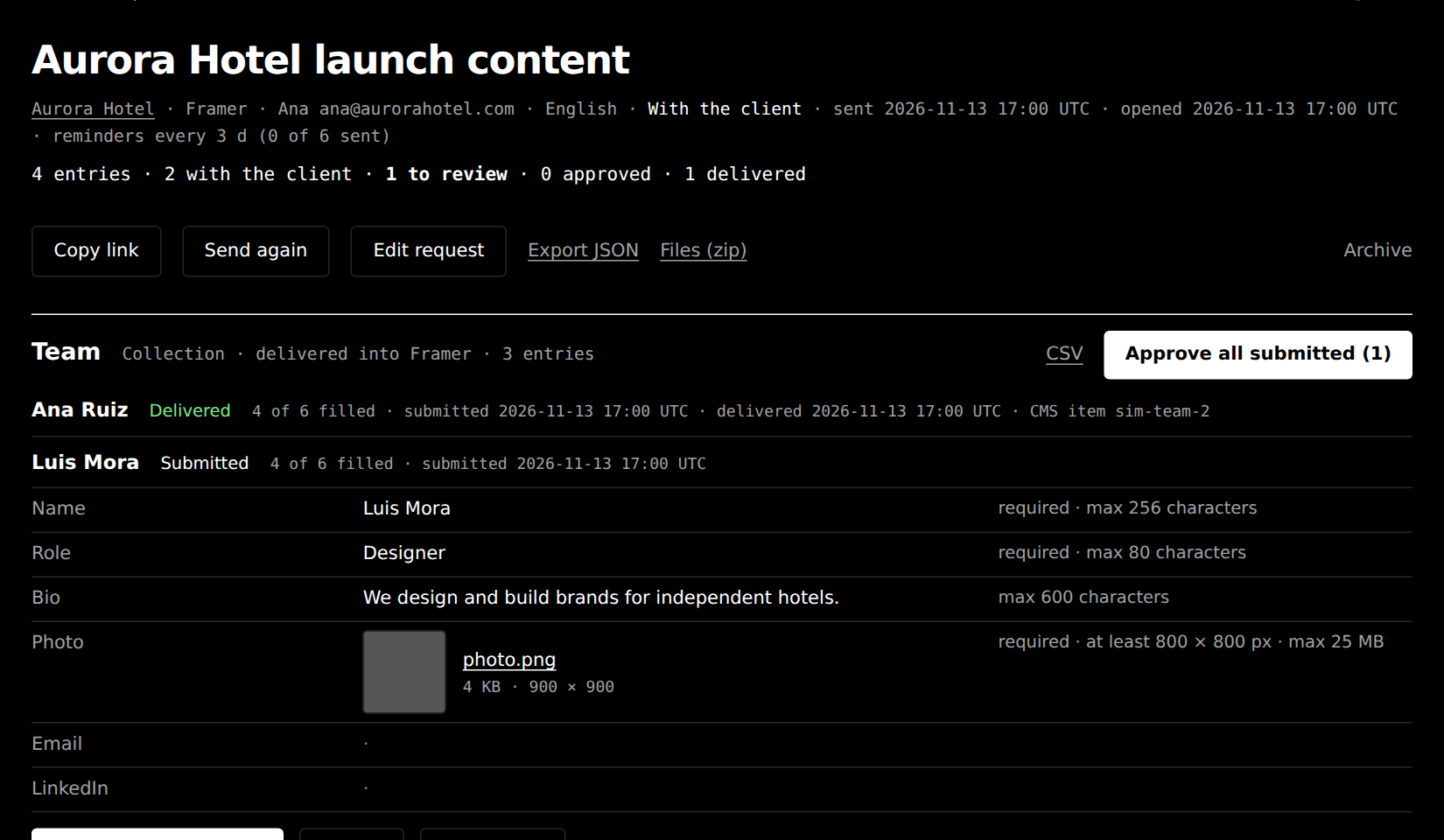
Approve, and it is in your CMS as a draft
Read each entry next to the field rules. Approve it, fix a typo yourself, or return it with a note. Approved entries are written into Framer or Webflow as draft items, images included. You publish when you are ready.
What Sitefill does not do
- It never publishes.
- Entries arrive as drafts. You publish in Framer or Webflow, when you decide.
- It does not replace the Framer or Webflow editor.
- Design, layout and the static text on a page stay in your project. Clients never enter it.
- It does not write your client's copy.
- Drafts come only from what their current site already says, and the client confirms each one.
- It is not legal review.
- Nobody at Sitefill checks whether a claim, a photo or a testimonial may be used. That stays with you and your client.
- It keeps no client passwords.
- A client has a link and nothing else. Archive the request and the link stops working.
Pricing
Free
$0 a monthno card needed
- 1 site
- 1 active request
- 1 delivery into the CMS, unlimited exports
- 1 person
- Sitefill mark on the client page and emails
- Sitefill as the sender of client emails
- 3 prefill runs a day, 6 in all
- 5 request emails a day
- 1 GB of client files
Studio
$29 a monthor $290 a year, which saves $58
- 5 sites
- Unlimited requests
- Unlimited deliveries into the CMS
- 1 person
- Your logo and accent colour on the client page and emails
- Your studio name as the sender of client emails
- 30 prefill runs a day
- 60 request emails a day
- 10 GB of client files
Agency
$79 a monthor $790 a year, which saves $158
- 25 sites
- Unlimited requests
- Unlimited deliveries into the CMS
- 5 team members
- Your logo and accent colour on the client page and emails
- Your studio name as the sender of client emails
- 100 prefill runs a day
- 60 request emails a day
- 50 GB of client files
- Priority support
Questions
- What do I need from Framer?
- The project URL and an API key, which you create in the project settings under API keys. Sitefill uses Framer's Server API. It reads and writes only the CMS collections you made yourself. Collections that a plugin manages are left alone. It never calls publish or deploy.
- What do I need from Webflow?
- A site API token, made in the site settings under Apps and integrations, with the scopes sites read, CMS read and CMS write. If the token can see several sites, you pick the one to connect. Items are created with the draft flag and Sitefill never calls a publish endpoint.
- How are my keys and tokens stored?
- Encrypted with AES-256-GCM before they reach the database, with a key that lives outside it. After you save a site the key is never shown again and never sent to a browser. It is not sent to the AI model either. Remove the site and its key is deleted.
- What do my clients see?
- A page under your studio's name with one section per collection, one entry per item and each field with its own limits. It saves by itself and works on a phone. On paid plans it carries your logo and accent colour, and emails come from your studio's name. On the Free plan the page says "Sent with Sitefill" at the bottom and emails come from the name Sitefill, with your studio named in the text.
- Which languages?
- The client page and every email to the client come in English, Spanish or Portuguese. You choose per request. The studio side is in English.
- What does the prefill read, and where does it go?
- Up to 12 public pages of the client's current website, obeying its robots.txt. The page text goes to Anthropic's Claude with the names of your fields, and comes back as drafts. A field the pages do not answer stays empty. Images and files are never drafted.
- What happens after launch?
- The same link keeps working. The client opens an entry, changes it and sends it again, or adds a new one. You approve, and the item in the CMS is updated as a draft change. A value the client empties stays in the CMS, and the review page tells you which, so you can remove it there.
- My site is on something else.
- Add it as Other. You define the fields in each request and download the approved content as JSON, CSV per section and a zip of the files.